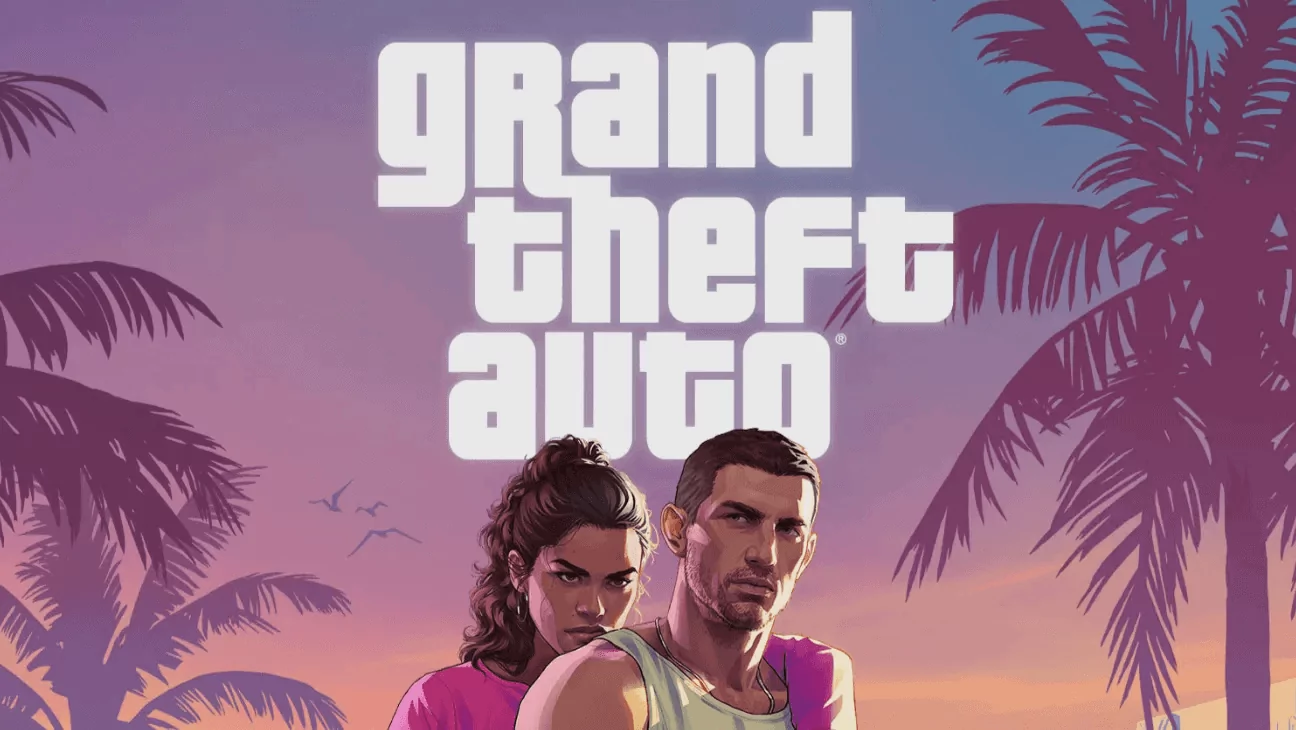
GTA 6 costs $79.99 for the Standard Edition and $99.99 for the Ultimate Edition. That’s a lot for one game, so plenty of players are asking the same question: can two friends buy one digital copy, share it and both play?
The short answer is yes. Both PS5 and Xbox Series X|S have built-in game sharing, and two people can play GTA 6 on their own consoles, on their own accounts, at the same time. But there are a few catches, especially around the Ultimate Edition bonuses, that you should know before you split the cost.
The Quick Answer
- Can two players share one copy? Yes, on both PS5 and Xbox Series X|S, as long as you buy the game digitally.
- Can both play at the same time? Yes. One person plays on the console where sharing is turned on, and the buyer plays on their own console while signed in to their account.
- Do you need PS Plus or Game Pass? Not for GTA 6 at launch. The game launches as a single-player experience, so there’s no online mode yet.
- Do both players get the Ultimate Edition extras? Not confirmed. Player reports are mixed. More on this below.
- Can you share the boxed copy? No. The boxed version has a download code instead of a disc, and the code stays with whoever redeems it.
How Gamesharing Works on PS5
On PlayStation 5, the feature is called Console Sharing and Offline Play. When it’s turned on for your account on a PS5, anyone who uses that console can play the games you’ve bought, even on their own account.
There’s one important limit: you can only turn it on for one PS5 at a time. That’s what makes the two-player trick work:
- Your friend’s PS5 gets Console Sharing turned on for your account. Your friend plays GTA 6 there on their own account.
- Your own PS5 isn’t the shared console anymore, but you can still play everything you own there, as long as you’re signed in and connected to the internet.
Each player keeps their own save files and earns their own trophies, because each is playing on their own account.
How to set up Gamesharing for GTA 6 on PS5
- On your own PS5, turn off sharing: go to Settings > Users and Accounts > Other > Console Sharing and Offline Play and select Disable. This doesn’t delete any games or saves.
- Sign in to your PlayStation account on your friend’s PS5.
- On their PS5, go to the same menu, Settings > Users and Accounts > Other > Console Sharing and Offline Play, and select Enable.
- Download GTA 6 from your game library.
- Your friend switches to their own PSN account and plays the game.
- You can play GTA 6 on your own PS5 using your purchasing account.

You might be thinking that this isn’t how game sharing normally works, since you’re being asked to disable this feature on your own PS5. That’s because Sony only allows each account to have Console Sharing enabled on one PS5 at a time.
When you first sign in to PlayStation on your own PS5, that console is automatically set as your sharing console, so your account’s one “slot” is already occupied.
To move sharing to your friend’s PS5, you first need to free up that slot on your own console (Step 1), then enable it on theirs (Step 3). If you skip Step 1, your friend’s PS5 won’t let you enable sharing because your account already has it activated on another console.
If you lose access to a console you shared with, Sony lets you deactivate all of your consoles remotely, but only once every six months.How Gamesharing Works on Xbox Series X|S
On Xbox, the feature is called Home Xbox. Whichever Xbox you set as your Home Xbox can share your digital games with anyone who uses it, even when you’re not signed in.
It works just like the PS5 version:
- Your friend’s Xbox becomes your Home Xbox. Your friend plays GTA 6 there on their own account.
- Your own Xbox can still run your games, as long as you’re signed in and online.
How to set it up on Xbox
- On your friend’s Xbox, sign in with your account.
- Press the Xbox button, then go to Profile & system > Settings > General > Personalization > My home Xbox.
- Select Make this my home Xbox.
- Your friend signs in to their own account and downloads GTA 6 from your shared library.
You can change your Home Xbox up to five times in a year, and Xbox support can’t give you extra changes. So pick your sharing partner carefully.
Can Both Players Play GTA 6 at the Same Time?
Yes. This is the question most players ask, and it’s also where the most confusion comes from.
On both consoles, the buyer plays on their own console while signed in, and the friend plays on the shared console. Players in a popular Reddit thread about splitting GTA 6 say this is exactly how they’ve shared games for years. Several said they play the same game at the same time with a sibling or partner with no issues, and Sony and Microsoft’s own sharing rules back that up.
The one thing to remember is that the buyer needs to be online to play on their own console, because their console isn’t the one with sharing turned on.
Important things to know
- Your friend can play your shared games on their own PSN profile.
- You can still play your purchased games on your own PS5 or Xbox.
- Your friend may need to be online for some games or license checks, but the enabled console supports offline play.
- Only share your account with someone you trust. They could access account information or make purchases if your account is left accessible.
- Sony’s remote deactivate-all option is limited to once every six months
What about playing online together?
You’ll see Reddit comments saying both players can use GTA Online on separate accounts at the same time. That’s true for GTA 5, but it doesn’t apply to GTA 6 yet.
Rockstar has described GTA 6 as a single-player experience, and Rockstar hasn’t announced a release date or details for a GTA 6 online mode. When an online mode does arrive, you’ll normally need PS Plus or Xbox Game Pass Core. On PS5, Console Sharing also extends some of the buyer’s PS Plus benefits, including online multiplayer, to other players on the shared console. Expect the buyer to need their own subscription on their own console too.
Does the Second Player Get the Ultimate Edition Bonuses?
This is the biggest open question, and Rockstar hasn’t answered it. Here’s what we know and what players are reporting.
What’s confirmed:
- The base game shares fully, on both consoles.
- The Ultimate Edition costs $99.99 and adds extra story content, including premium vehicles, weapons and outfits.
- The Vintage Vice City Pack comes with every pre-order made before November 20, for both editions.
- The free month of GTA+ is only for digital pre-orders and is linked to the buyer’s Rockstar account. Some reports say Xbox players won’t get the GTA+ month at all.
What players are reporting (not yet confirmed for GTA 6):
- One Xbox player who shares with a friend said that after the friend pre-ordered the Ultimate Edition, it showed up on their own console as the Ultimate Edition. The Ultimate content and the Vintage Vice City Pack were listed as add-ons under Manage game and add-ons. That’s a good sign for Xbox.
- The original Reddit poster pointed to Red Dead Redemption 2, where Ultimate Edition story content (including an exclusive bank heist mission) worked for both players when shared. Their reasoning: the Ultimate Edition is listed as a separate product in the PlayStation Store, so the shared console runs the full Ultimate version.
- Other players say that for some games, like EA Sports FC, only the buyer gets the pre-order bonuses, and the friend gets the base game.
- Most players agree on one thing: GTA+ won’t share, because it’s tied to the buyer’s Rockstar account, not the console.
Our take: the second player will very likely get the single-player Ultimate content, based on how Rockstar handled RDR2 and on early reports from Xbox players. But treat it as likely, not guaranteed, until people can test it on launch day. If the Ultimate content matters a lot to your friend, check after November 19 before assuming they have it.
How to Split the Cost Fairly
The simple split looks like this:
- Standard Edition: $79.99 split two ways is about $40 each.
- Ultimate Edition: $99.99 split two ways is about $50 each.
Some players on Reddit suggest an uneven split, like 60/40 or 55/45, with the buyer paying more because they’re guaranteed the bonuses and the GTA+ month. That’s a fair compromise if the Ultimate extras don’t end up sharing.
Things to Know Before You Gameshare
- Only share with someone you really trust. You have to sign in to your account on their console. Turn on two-step verification, and set a password for purchases so they can’t buy anything on your card.
- The buyer stays in control. If the buyer turns off sharing or moves it to another console, the friend loses access straight away. Save files stay on the friend’s account, though.
- One sharing partner at a time. PS5 sharing works on one console per account, and Xbox only allows one Home Xbox.
- The game belongs to one account. If the buyer’s account gets suspended, or the buyer stops sharing, the friend can’t play.
- Boxed copies can’t be shared. The physical edition only has a download code, so there’s no disc to lend, and the code stays on the account that redeems it.
- Parental controls can block it. If you see a padlock on the GTA 6 tile on PS5, that’s parental controls, and only the Family Manager can remove it.
- Pre-load works too. Once sharing is set up, both consoles can pre-load GTA 6 from November 12. Make sure you have room for the 210GB download. See our GTA 6 file size guide, and if you need more space, our best SSD for PS5 and best Xbox Series X|S storage guides.
FAQ
Q1. Can you gameshare GTA 6 between PS5 and Xbox?
No. Sharing only works within the same platform. A PS5 copy can only be shared with another PS5, and an Xbox copy with another Xbox.
Q2. Can you gameshare the GTA 6 Standard Edition?
Yes. Any digital edition can be shared, Standard or Ultimate.
Q3. Do both players need their own PlayStation or Xbox account?
Yes. Each player uses their own account, so you each keep your own saves and trophies or achievements.
Q4. Do both players need PS Plus or Game Pass to play GTA 6?
Not at launch, because GTA 6 is single-player. You’ll likely need a subscription once an online mode arrives.
Q5. Can more than two people share one copy of GTA 6?
Not really. Sharing works on one extra console per account, so it’s realistically two players: the buyer and one friend.
Q6. Will the second player get the GTA+ free month?
Very unlikely. GTA+ is linked to the buyer’s Rockstar account, so only the buyer gets it.
Q7. Can my friend upgrade to the Ultimate Edition on their own?
Rockstar says Standard Edition owners can buy the Ultimate Edition Upgrade separately. Whether a player using a shared copy can buy the upgrade for their own account hasn’t been confirmed.
Q8. What happens to my friend’s progress if I stop sharing?
Their save stays on their account. If they buy their own copy later, they can carry on from where they left off.